
Web Search
Jan has built-in web search. When enabled, Jan advertises two tools - web_search and
web_fetch - to any model that supports tool use, so the model can look up current information and
read web pages on its own. It works out of the box with no API key and no MCP server required.
Web Search is on by default. The default provider (Exa) uses a free, keyless endpoint, so you can start asking about current events right away - no setup needed.
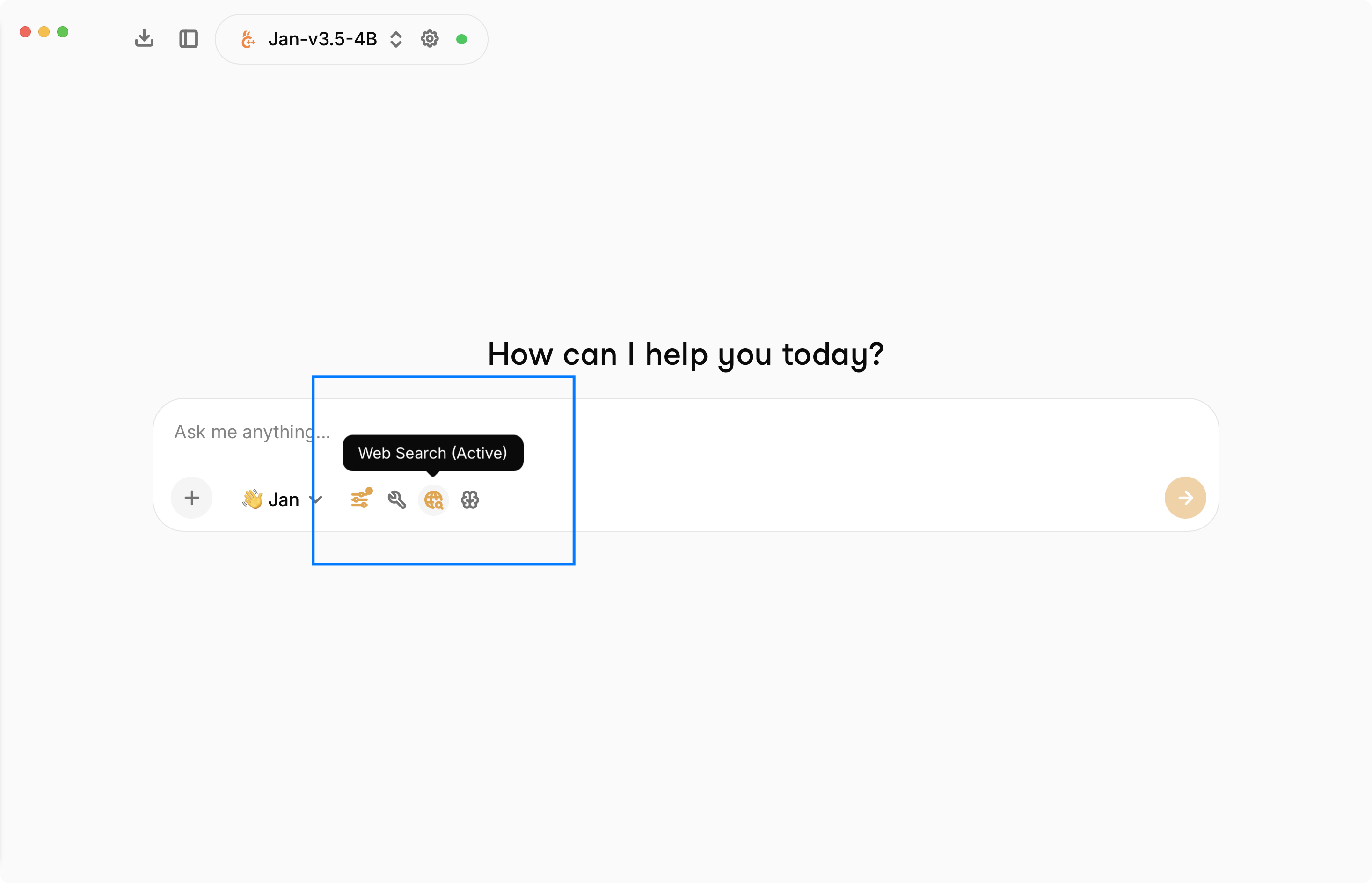
You can toggle web search for a chat from the input toolbar - the globe icon shows Web Search (Active) when it's on.
The two tools
| Tool | What it does |
|---|---|
web_search | Searches the web and returns a ranked list of results (title, URL, snippet, and optional publish date). |
web_fetch | Fetches a web page by URL and returns its readable text content, along with the source URL and title. |
A typical flow is web_search to find sources, then web_fetch to read a specific result in full.
web_search takes a query and an optional count (default 5, max 20); web_fetch takes an
http(s) url. Fetched content is length-bounded so it doesn't flood the model's context.
Requirements
Web search only works with a model that supports tool use. The tools are advertised only to tools-capable models, so pick a model that shows the tools capability in the model picker (most local tool-calling models and the major cloud models qualify). If your model can't call tools, the web tools won't be available.
Configure it
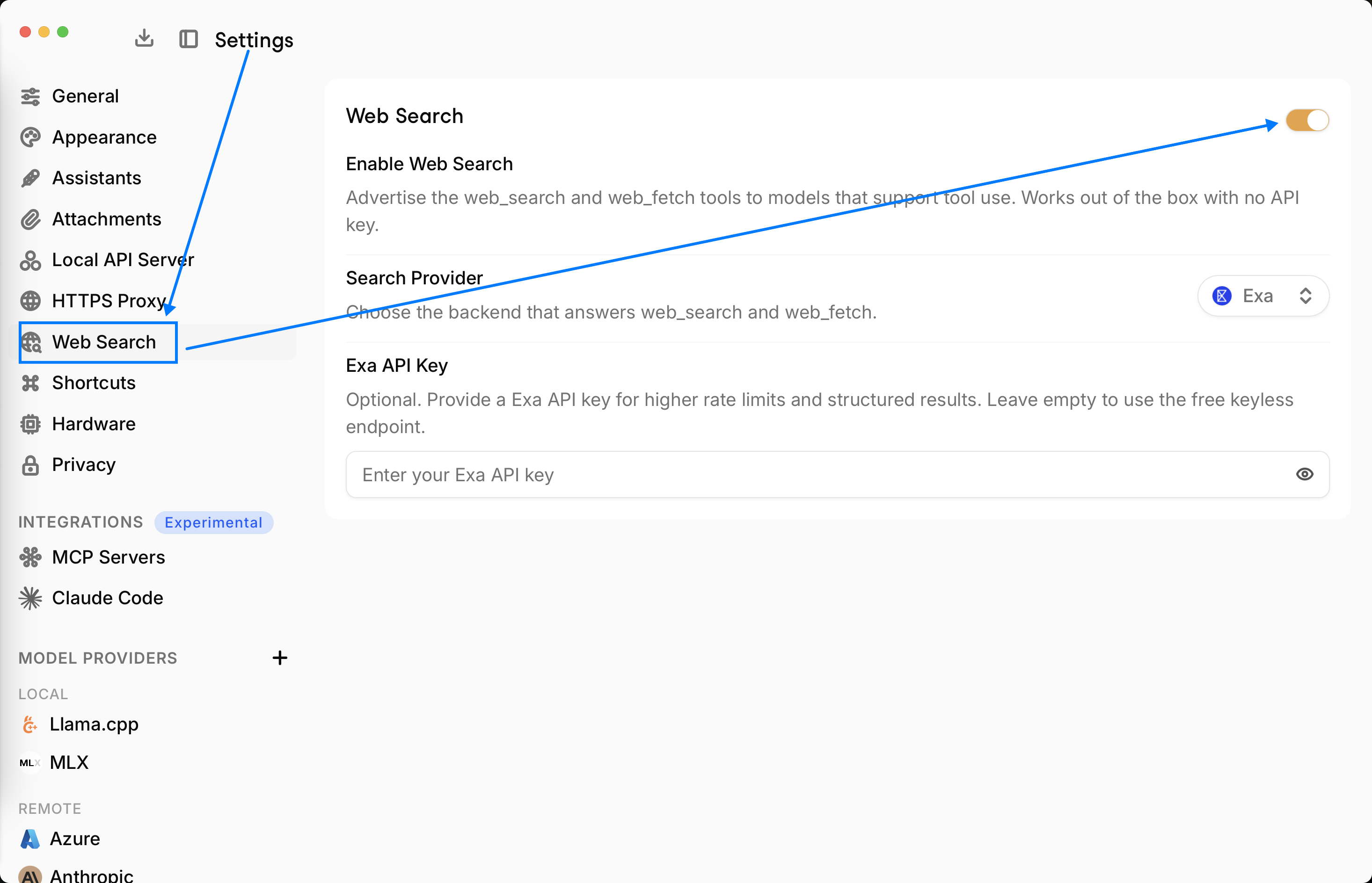
Open Settings > Web Search.
Enable Web Search
Toggles whether the web_search and web_fetch tools are advertised to models that support tool
use. On by default. Works with no API key.
Search Provider
Choose the backend that answers web_search and web_fetch. Three providers are available:
| Provider | API key | Notes |
|---|---|---|
| Exa (default) | Optional | Uses a free, keyless endpoint out of the box. Add a key for higher rate limits and structured results. |
| Tavily | Required | Needs a Tavily (opens in a new tab) API key to return results. |
| SearXNG | Optional | Self-hosted. Point Jan at your own SearXNG (opens in a new tab) instance URL (with the JSON API enabled). |
Exa API Key (optional)
With Exa selected, an API key is optional - leave it empty to use the free keyless endpoint. Providing an Exa (opens in a new tab) API key gives you higher rate limits and structured results.
For Tavily, an API key is required. For SearXNG, you provide your instance's base URL instead of a key. The settings panel shows the right field for whichever provider you pick.
How it relates to MCP search
This built-in web search is native - it does not use the Model Context Protocol. Earlier versions of Jan relied on an Exa (or Serper) MCP server for web search; that's no longer necessary. You can still connect an MCP-based search server if you want a specific provider or extra control, but for most users the built-in Web Search is all you need.