
Projects
Projects let you organize your AI work around a topic or goal. Each project has its own conversations, an assigned assistant, and a shared set of files — all in one place.
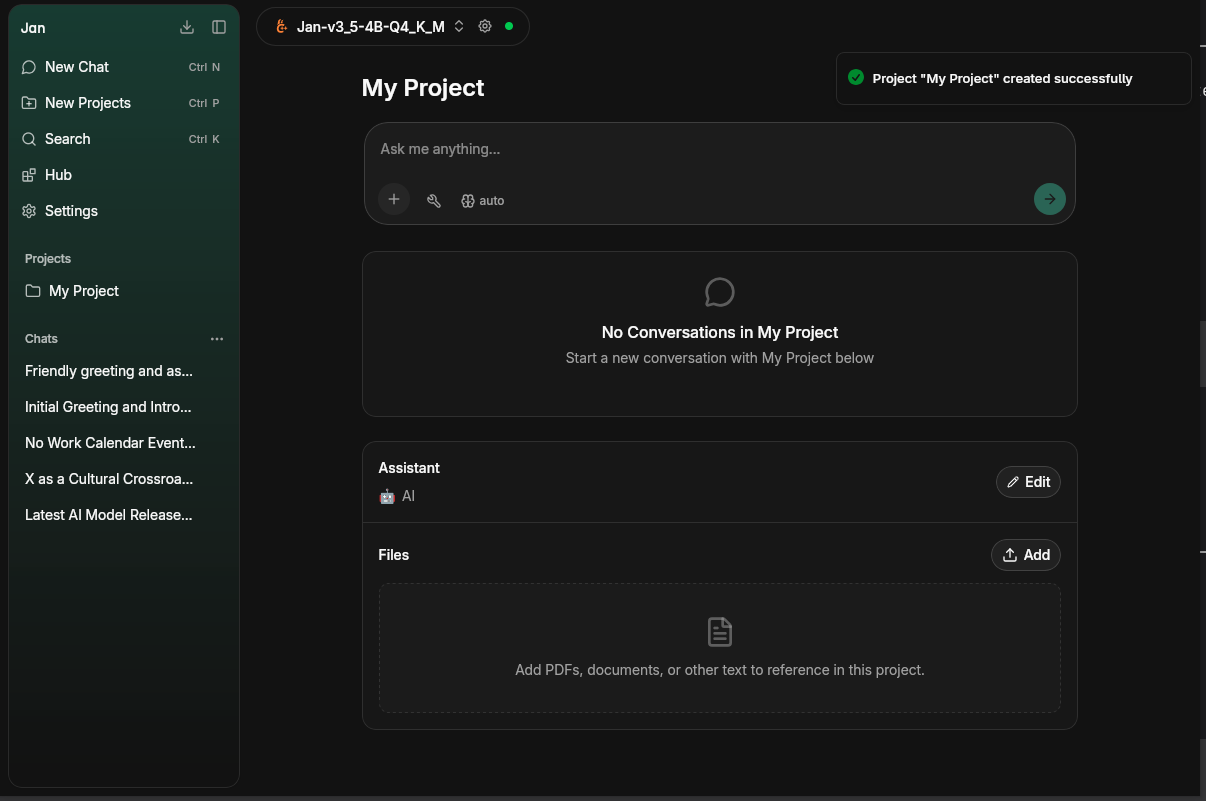
Create a Project
New Project
Press ⌘ P or click New Projects in the left sidebar.
Name your project
Give it a name that reflects the goal — e.g. "Product Manager", "Research", "Code Review".
Start a conversation
Type your message in the input field. All conversations inside the project share the same assistant and files.
Assistant
Each project can have an assigned Assistant. The assistant's instructions apply automatically to every conversation within the project. Click Edit to change or update the assistant.
Files
Upload documents to a project and reference them in any conversation within it. Supported formats include PDFs, Markdown, Office documents (DOCX, XLSX, PPTX), code files, and more.
- Click Add in the Files panel to upload files
- Uploaded files are chunked and available as context across all project conversations
- Ask questions about documents, extract information, or use them as background reference
The file panel shows each uploaded file with its size and chunk count.