
MLX
MLX is an inference engine for Apple Silicon (M1 and later). It uses Metal GPU acceleration for fast, efficient local inference — available on macOS 14+.
MLX support in Jan is experimental and will improve over time. Current limitations:
- Embeddings are unavailable — use llama.cpp for embedding/RAG workflows.
- Reasoning is not yet wired — reasoning-style output isn't surfaced separately.
- Some newer model architectures fail to load — if a model won't start, try its llama.cpp (GGUF) version instead.
For the broadest model support and feature set, use llama.cpp. MLX is worth trying on Apple Silicon when you want Metal-tuned performance for a supported model.
Requirements
- macOS 14 or higher
- Apple Silicon (M1, M2, M3, M4)
MLX is macOS-only. On Windows and Linux it isn't shown — use llama.cpp.
Accessing Engine Settings
Find MLX settings at Settings > MLX under Model Providers:
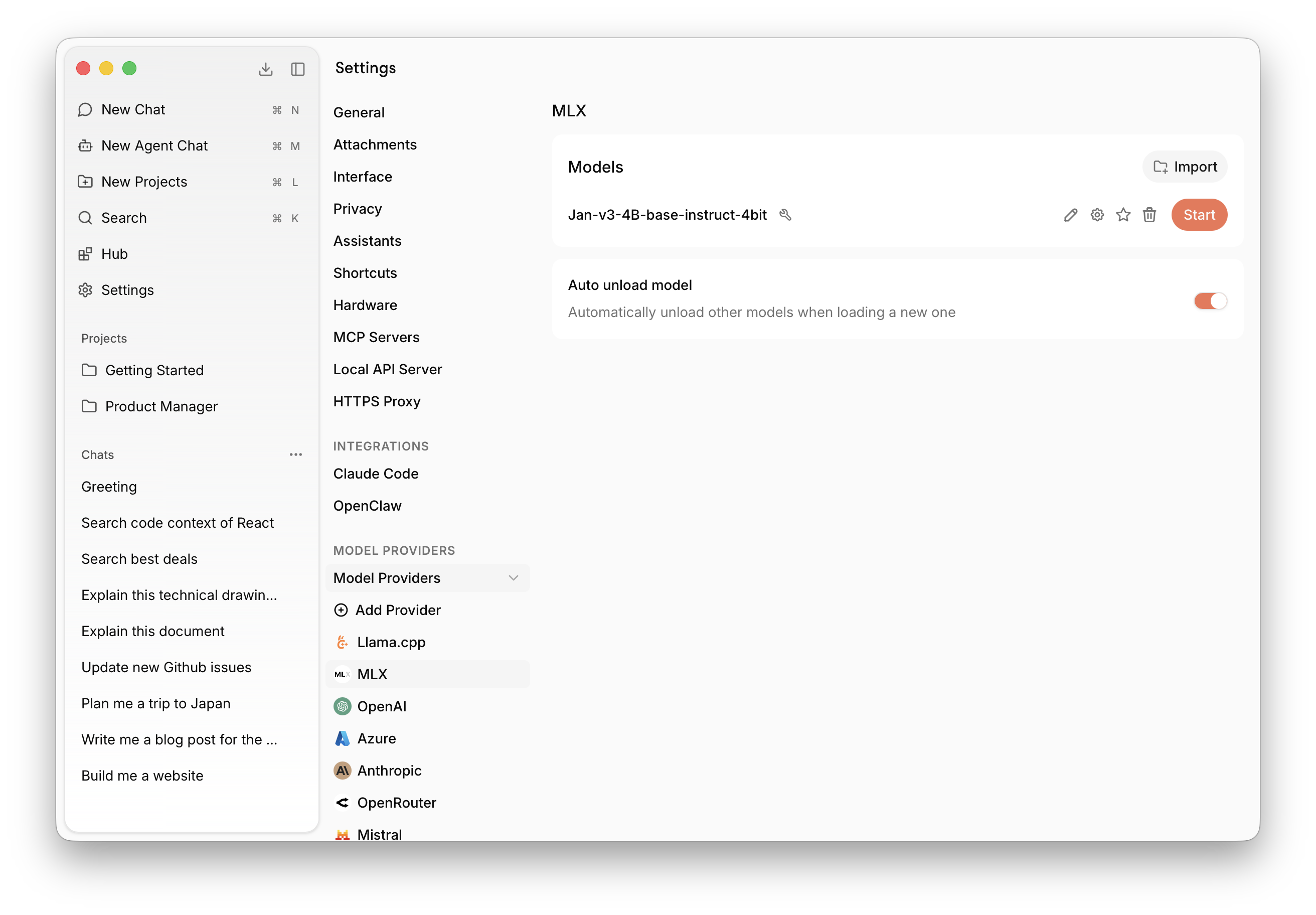
Backend and Version
MLX uses a separate version (the mlx-swift-lm server build) and backend selector. In most cases the default is correct; only change it if you're testing a specific build or troubleshooting a model that won't load.
Model Management
MLX supports models in MLX-Swift format. Jan ships with MLX-compatible versions of its foundation models.
Download from Hub
Browse and download MLX-compatible models directly from the Hub tab in the left sidebar. Downloaded models will appear here automatically.
Import Local Files
Click Import to link an MLX model file already on your computer. This is useful for models downloaded via your browser from Hugging Face, or models shared with other apps — Jan links to the file in place without copying it.
Delete a Model
Click the trash icon next to any model to remove it. Linked files leave the original intact.
MLX or llama.cpp?
Both run locally on Apple Silicon. Choose based on what you need:
| MLX | llama.cpp | |
|---|---|---|
| Platform | Apple Silicon only | All platforms |
| Model format | MLX | GGUF |
| Embeddings / RAG | Not available | Supported |
| Reasoning output | Not wired yet | Supported |
| Model coverage | Good, but some new architectures fail | Broadest |
| Status | Experimental | Stable |
If you're unsure, start with llama.cpp. Try MLX when you want Metal-tuned performance for a model that's available in MLX format.
Troubleshooting
- Model won't load: Some newer architectures aren't supported yet — use the model's GGUF version with llama.cpp instead.
- Need embeddings or RAG: Not available on MLX; switch to llama.cpp.
- MLX provider missing: You're on Windows or Linux — MLX is macOS-only.
- Slow or failing on large models: The model may exceed available unified memory; try a smaller or more quantized model. See Troubleshooting.
How It Works
Jan integrates MLX via mlx-swift-lm (opens in a new tab), running a local inference server on top of it. The server is spawned and managed by Jan's MLX plugin, which handles model loading, lifecycle, and communication with the rest of the app.